Testver keeps its shortcuts deliberately small. There are two you’ll use everywhere, and a handful that apply inside a particular surface.
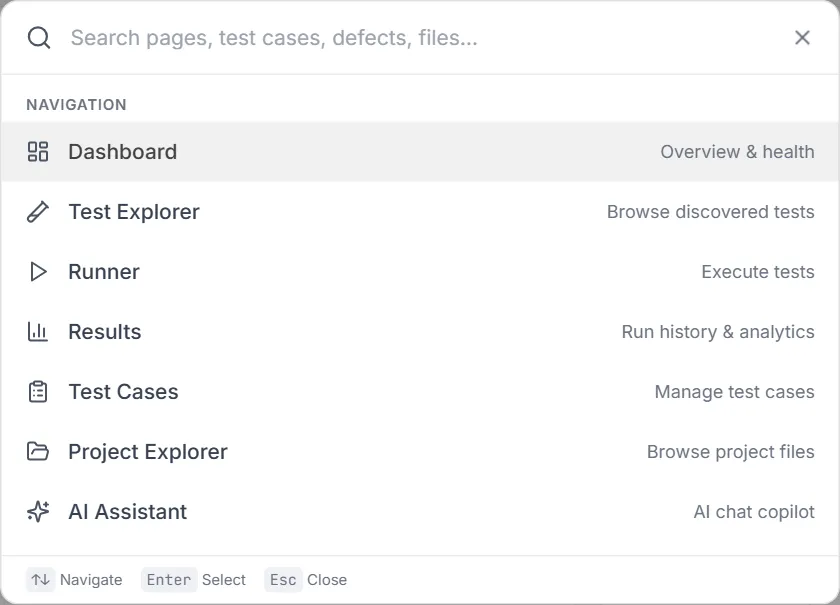
These work from any screen.
| Shortcut | Action |
|---|
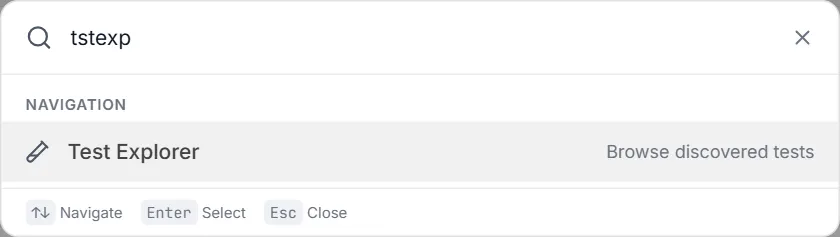
Ctrl + K (Mac: Cmd + K) | Open the Command Palette — search any screen by name and jump to it. The header Search field does the same thing. |
Ctrl + B (Mac: Cmd + B) | Toggle the left sidebar (collapse / expand). |
Hovering the sidebar button next to the logo reminds you of the shortcut:

Once the palette is open:
| Shortcut | Action |
|---|
↑ / ↓ | Move through the results. |
Enter | Open the selected screen. |
Esc | Close the palette. |
In the message composer:
| Shortcut | Action |
|---|
Enter | Send the message. |
Shift + Enter | New line without sending. |
@ | Open the test-reference picker; Enter or Tab accepts the highlighted test. |
/ | Open the skill picker; Enter or Tab accepts the highlighted skill. |
| Shortcut | Where | Action |
|---|
Enter | Starting URL field | Start the recording. |
← → ↑ ↓ | Assert / Annotate mode | Move the highlight: ↑ the element around it, ↓ the first element inside it, ← → the elements beside it. The keyboard goes to the live browser as soon as the mode is on. |
Enter | Assert / Annotate mode | Pick the highlighted element. |
Esc | Assert / Annotate mode | Leave the mode. |
Alt + ↑ / Alt + ↓ | A focused step (after stopping) | Move the step up or down. |
@ | Custom step text, Before the test | Search the project’s code and test data; ↑ ↓ move, Enter or Tab picks, Esc closes the list. |
Ctrl + Enter (Mac: Cmd + Enter) | Custom step dialog | Save the step. |
Enter (empty) | Chat bar, when the AI shows its plan | Approve the plan and let it write the test. |
| Shortcut | Action |
|---|
Ctrl + F (Mac: Cmd + F) | Focus the file filter box. Ignored while your cursor is inside the code editor, so the editor’s own find still works. |
When browsing the file grid:
| Shortcut | Action |
|---|
← → ↑ ↓ | Move the focus between files. |
Enter | Open the focused file. |
| Shortcut | Action |
|---|
Esc | Close the active dialog, modal, or picker. |
- The Command Palette beats the sidebar once you know it.
Ctrl + K, two or three letters, Enter.
- Collapse the sidebar (
Ctrl + B) when you’re reading a wide table — the Results test list and the Code Map inventory both gain a useful amount of room.
- Tabs are linkable, not keyboard-driven. Screens with tabs keep the active tab in the URL (for example
/advanced?tab=schedules), so bookmarking a view is often faster than a shortcut would be.