

Testver Cloud, Grid & MailTestver Mail
Testver Mail
Introduction
Section titled “Introduction”What is Testver Mail?
Section titled “What is Testver Mail?”Testver Mail is the email service built into your paid plan. When Testver needs to send an email — a test report, a failure notification, a defect, a quality-gate result, a welcome message for a new tool user — it can send it through Testver’s own mail server instead of an SMTP account you set up yourself.
Nothing changes in how you use email in Testver. The same Email connector, the same notification rules, the same reports. What changes is that there is nothing to configure.
What you get
Section titled “What you get”| Sends as | "<your name> via Testver" <tool@testver.com> |
| Replies go to | the email address of your Testver account |
| Attachments | Reports and artifacts up to 15 MB per message |
| Limits | None per day. Every message is logged so support can help you |
| Included with | Pro, Power and Team plans. On a team, the owner or the platform manager switches it on once for the whole team |
| Your own SMTP | Keeps working exactly as before — Gmail, Outlook, Yahoo and custom SMTP are untouched |
How to use it
Section titled “How to use it”1. Connect to Testver
Section titled “1. Connect to Testver”Open Testver → Connections in the tool (the pinned entry at the bottom of the sidebar) and press Connect to Testver. Once your account is connected, every service your plan includes switches on by itself — including Testver Mail.
2. That is it
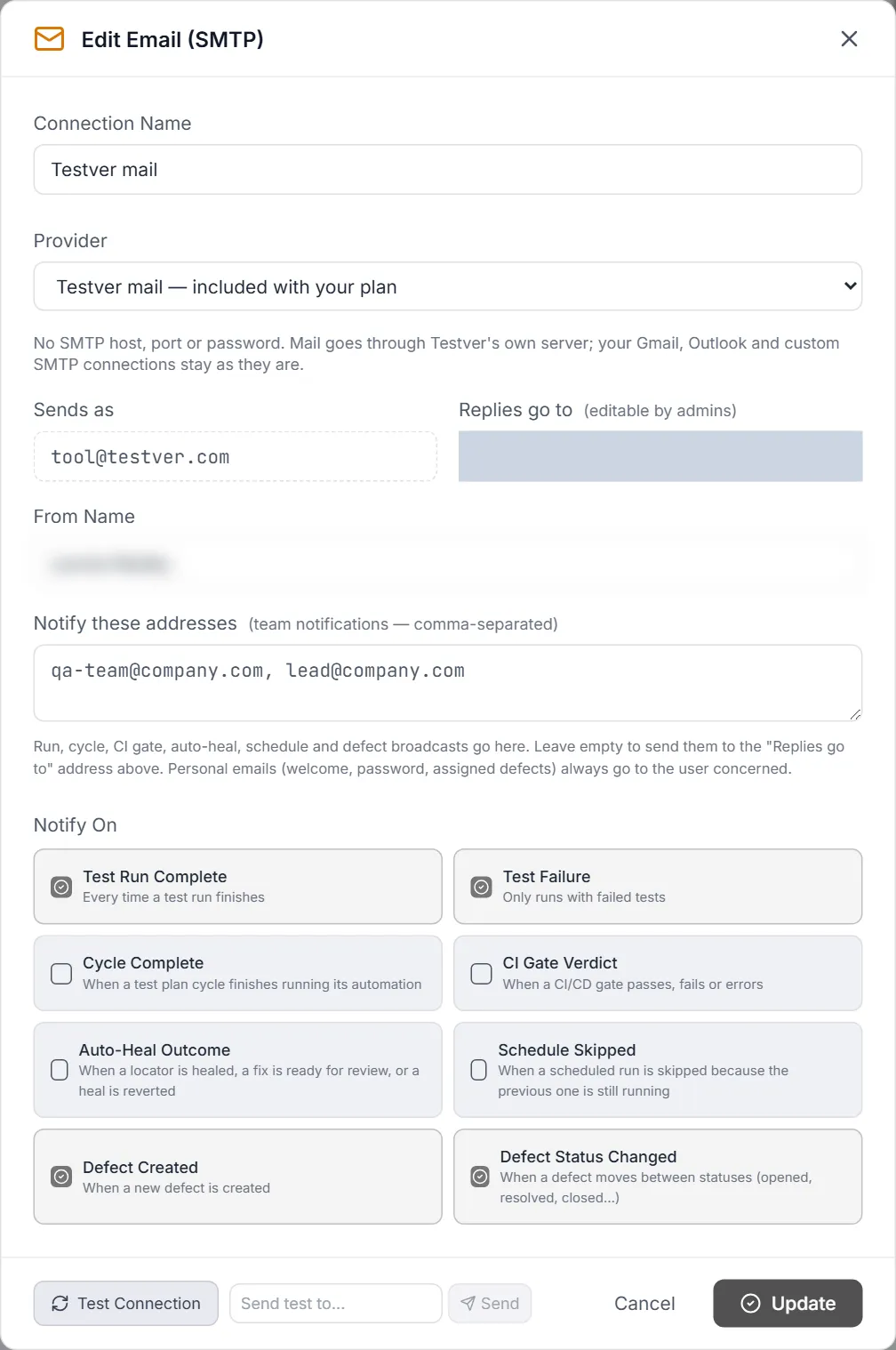
Section titled “2. That is it”Testver Mail becomes the default sender: an Email connector named Testver mail (provider Testver mail — included with your plan) appears on the Email (SMTP) card under Settings → Connectors, already connected, and the notification events you had on other email connectors move to it. Your other email connectors stay configured; open them at any time to move events back.
3. Sending from the AI assistant and reports
Section titled “3. Sending from the AI assistant and reports”The AI assistant’s send-email tool and scheduled report emails use the default sender, so they go through Testver Mail as well. If a report’s attachments are over 15 MB, Testver tells you and you can share the report link instead.
Switching it off
Section titled “Switching it off”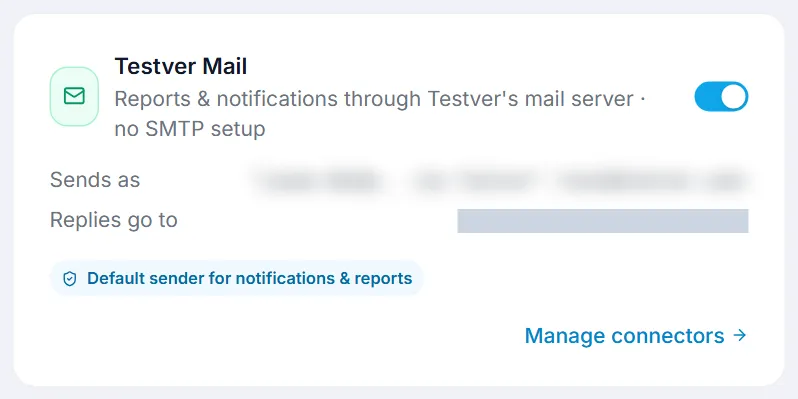
On Testver → Connections, turn the Testver Mail switch off. The Testver mail connector disconnects and the notification events return to the connector they came from. Turn it back on at any time.
Teams and shared servers
Section titled “Teams and shared servers”- Team plans. The team owner, or the one member the owner names platform manager, enables Testver Mail on their own Testver installation. Team members see it as “managed by your team owner” and keep their own SMTP connectors if they have any.
- Shared Testver servers. If the super admin’s system connection has Testver Mail, every user on that server sends through it — the switch is shown but cannot be changed by other users. If the system connection does not include Mail, a user can connect their own account and use their own plan’s Mail.
Can I send from my own domain? Not yet. Mail leaves from tool@testver.com with your name in the display name and your address as the reply-to, so answers still reach you. Sending from your own domain would need domain verification and is on the list.
Is there a daily limit? No. There are no quotas. Messages are logged (who sent, when, how many recipients, size) so we can help if something goes wrong.
What if Testver’s mail server is unreachable? The message is queued and retried automatically for a few hours. The Testver mail connector’s test button tells you whether the service is currently reachable.
Does it replace my Gmail or Outlook connector? No. Those keep working. Testver Mail is an extra option for paid plans, and you choose which connector is the default.
Related
Section titled “Related”- Testver Grid — cloud browsers for your test runs
- Testver Cloud — your always-on hosted Testver
- Connectors — email, Slack, Teams and Jira in Testver