

FAQ
Answers to the questions that come up most often. Click any question to expand it. If yours isn’t here, the in-app AI Assistant can usually diagnose project- and config-specific issues directly.
Setup & install
Section titled “Setup & install”Do I need to know how to code?
No. Testver works without writing any code:
- Manual test management (cases, plans, defects, reports) — zero code.
- AI Test Gen / AI Record — generate code for you.
- The only place code helps is editing automation scripts directly, and you can hand that off to the AI Assistant.
How is Testver installed?
It’s published on npm as @testver/testver and installed globally:
npm install -g @testver/testvertestver serveThen open http://localhost:3700. Full walkthrough: Install Testver.
Is Docker required?
No. Docker is optional and not required for any setup. The npm package runs the exact same dashboard for both local and team-server use.
What operating systems are supported?
Windows 10/11, macOS 12+, and any modern Linux. You need Node.js 20 or newer (which also installs npm).
How much does it cost?
Testver itself is free. Cloud AI runs through the Testver provider on a credit-based plan. Your plan credits (this cycle’s allowance) and any extra usage reserve (packs that never expire, spent once the plan credits run out) are shown on the Testver card in Settings → LLM and on Testver → Connections. Local LLMs (Ollama, LM Studio) are free.
Do I need an LLM at all?
No. Testver works for manual test management without any LLM. AI features need a provider before they can answer — connect Testver on Testver → Connections (the entry at the bottom of the sidebar), or have an admin add a local provider in Settings → LLM (or set TESTVER_DEFAULT_PROVIDER).
Finding things in the UI
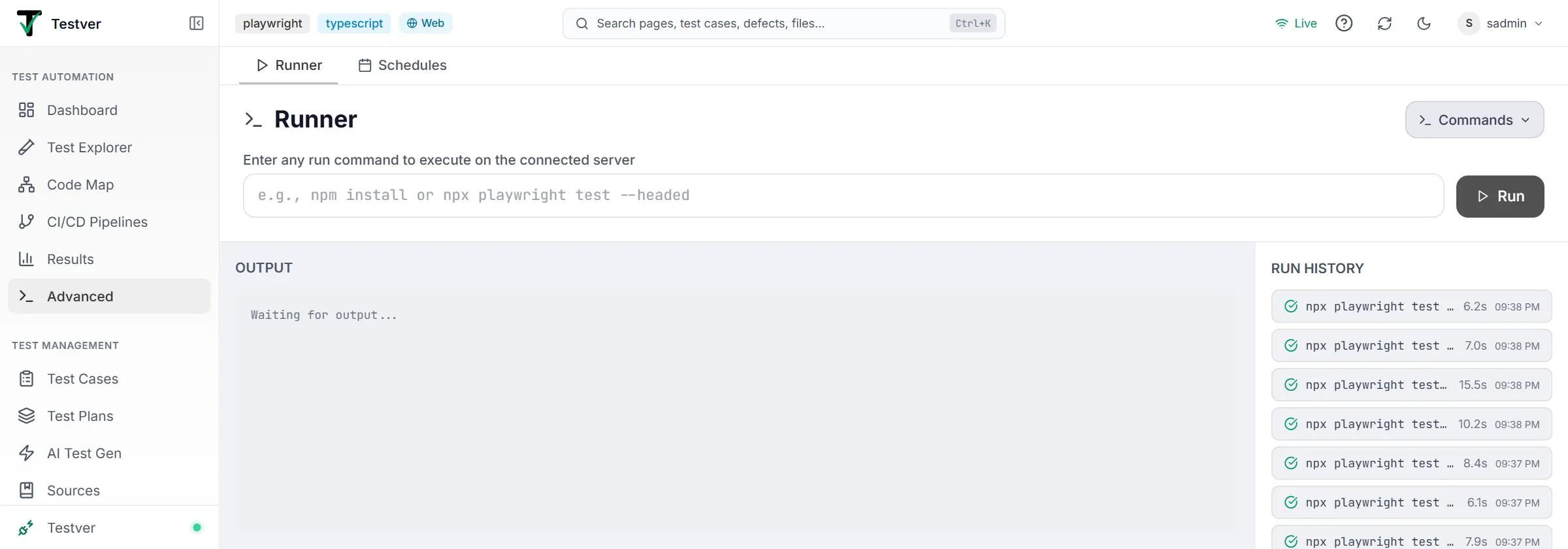
Section titled “Finding things in the UI”Where did the Runner and Schedules screens go?
They’re now the two tabs of the Advanced screen, under Test Automation. Nothing was removed — the Runner is at /advanced?tab=runner and Schedules at /advanced?tab=schedules, and the old /runner and /schedules URLs redirect to them.
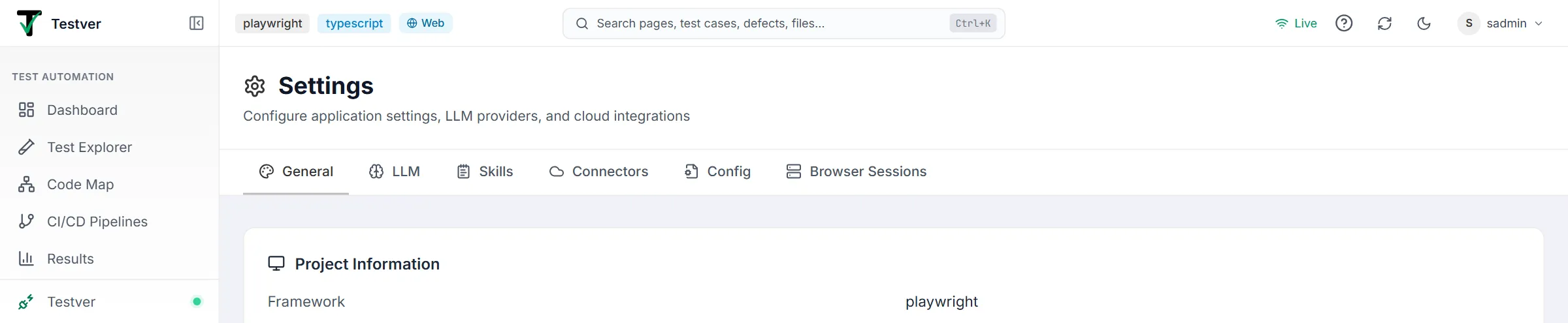
Where did CI/CD, Connectors, Browser Sessions, and the Data Map go?
Each became a tab of a bigger screen:
| Was | Now |
|---|---|
| CI/CD | CI/CD Pipelines |
| Browser Sessions | Settings → Browser Sessions |
| Config (the short-lived Manage screen) | Settings → Config |
| Connectors | Settings → Connectors |
| Data Map | Code Map → Test Data |
| Agent Skills | Settings → Skills |
Every old URL redirects to the right tab, so existing bookmarks keep working.
The Output screen isn’t in my sidebar.
That’s deliberate — it’s kept out of the left navigation and the Ctrl+K palette to reduce clutter. It still works: browse to /output directly. Most people reach the same files through a run’s entry in Results instead.
Why don’t test names match what’s in my code?
They do — Testver just displays them readably. A method called browseHomeContent, browse_home_content, or browse-home-content is shown as Browse Home Content throughout the UI. Hover any name to see the exact identifier. This is display-only: run commands, filters, links, and mappings all use the raw name, so nothing behaves differently.
Testing
Section titled “Testing”Do I need a physical phone to test mobile apps?
No. You can run against a cloud device grid (BrowserStack, LambdaTest, Sauce Labs) with nothing installed locally — Testver uploads your app, provisions the device, and mirrors the screen. A phone or emulator connected to your own machine works too; enable Local Devices under Connectors. Native, web, and hybrid (webview) apps are all supported.
A browser or environment in Settings shows a red warning.
Your code wouldn’t use that entry — for example --project=firefox when playwright.config.ts has no firefox project, or -Denv=staging when nothing reads env. Picking it would quietly run the default instead. Fix the value, remove the entry, or use Add support to my framework in Settings → General → Run Configuration to have the AI Assistant add what’s missing.
Auto-Heal says my Playwright for Java (or .NET) run left no trace.
Java and .NET only write a Playwright trace when the project saves one. Save it when a test fails — in Java from a JUnit AfterTestExecutionCallback, which runs before the browser closes — and Auto-Heal finds it wherever it’s saved. Frameworks the AI Assistant creates do this. See Auto-Heal.
My suite or cycle produced one result — where are the individual tests?
They’re inside it. Each test in a suite or cycle runs as its own run, grouped under one master result, so you get both the combined summary and per-test detail. Open the master run, then use the Console modal’s per-test sidebar for each test’s output, and open an individual test for its own cloud artifacts. See Results.
My local device run shows under the “Cloud” source filter.
That’s expected. Local-device runs travel through the same dispatch pipeline as cloud-grid runs, so the Cloud source filter includes them. The run itself is never labelled as cloud — it carries a neutral Local Device badge with a phone icon wherever it appears.
My tests don’t appear in Test Explorer.
- Confirm Testver was started from the right project root — run
testver serveinside that folder (the header badges show the framework and language it detected). - The framework’s config file should be at the root (
playwright.config.ts,cypress.config.js, etc.). - Your test files must match the framework’s discovery pattern (Playwright
tests/, Cypresscypress/e2e/, etc.). - Make sure the tests run on their own first (
npx playwright test,pytest, …) — the language runtime and project dependencies must be installed on the same machine. - Click Rescan project (the circular-arrows icon) in the header.
Tests run in my terminal but fail in Testver.
Usually the run command differs. Check Run Commands under Settings → General → Run Configuration and make sure it matches what you’d run yourself.
Can I use Testver without a project?
Yes. All of Test Management (cases, plans, defects, AI generation) works with no project — you just skip Test Explorer / Runner / Output.
How do I parallelize runs?
Most frameworks parallelize internally and Testver respects their config — set parallelism in your framework’s own configuration and Testver will honour it. The Runner executes one command at a time; to run something on its own timetable alongside your manual runs, create a Schedule or a suite with its own schedule.
Why is a test marked “flaky”?
It produced different results on identical code. The Dashboard surfaces flaky tests so you can triage them; Testver’s Auto-Heal also reduces flakiness from minor locator drift.
AI features
Section titled “AI features”Which LLM should I pick?
There isn’t much to pick. Cloud AI is the Testver provider, and it supplies a frontier model already selected and tuned for test automation — you don’t choose a model or bring a vendor key. The alternative is a local model via Ollama or LM Studio, which trades some capability for zero cost and full privacy. See the LLM tab.
Can I run everything locally with Ollama?
Yes — local LLMs power AI Assistant, AI Test Gen, and AI Record. Quality is below the Testver cloud provider, but for routine tasks they’re plenty. Larger models (e.g. llama3:70b) are more capable but need a beefier machine. Set OLLAMA_BASE_URL if it isn’t at the default. Local providers are configured by administrators.
Do my test cases get sent to a cloud AI service?
Only when you actively use an AI feature, and only what the task needs. If that’s a concern, run a local LLM (Ollama or LM Studio) — nothing leaves your machine.
Team / multi-user
Section titled “Team / multi-user”How many users can one instance handle?
No hard limit. The shared SQLite store handles dozens of concurrent users on a modest server. Testver is a single-team, self-hosted tool — one instance per team — not a multi-tenant public service.
Why can’t I see real values in a Test Data preview?
Values that look like secrets or personal data (passwords, tokens, API keys, e-mail addresses…) are masked by the server before the page gets them. A Tester or Admin can reveal them — each reveal is recorded in the Audit Log. Viewers always see them masked. See Test Data.
How do roles work?
Each user has one role: Super admin (the account created at setup — protected, and the only role that can manage other Admins), Admin (manages users/settings/audit), Tester (day-to-day testing + AI), or Viewer (read-only). Manage them on the Users screen.
Does every user need their own AI connection?
For the Testver cloud provider, yes — and that’s the point. Each user connects their own Testver account, so credits and usage are tracked per person. The exception is the super admin, who uses the installation’s system connection.
Local providers (Ollama, LM Studio) are instance-wide: an administrator configures them once and everyone shares them.
Can I sync data across multiple instances?
Not automatically — there’s no built-in sync. Use Import / Export to move data between instances.
Hosting & operations
Section titled “Hosting & operations”How do I host Testver for my team?
Run it on one always-on machine, bound to localhost, behind a reverse proxy for HTTPS:
testver serve --host 127.0.0.1 --port 3700Keep it running with systemd or pm2, then front it with nginx/Caddy/Traefik. The proxy must forward WebSocket Upgrade headers or live updates won’t work. Full server setup is in Install Testver.
How do I update Testver?
npm install -g @testver/testver@latestThen restart the service (sudo systemctl restart testver or pm2 restart testver). Your data is untouched; migrations run automatically on first start.
How do I check it’s running?
curl http://localhost:3700/api/healthA healthy server returns small JSON with "status": "healthy" and the version.
How do I back up my data?
Copy Testver’s data folder — it holds everything: test cases, plans, runs, attachments, defects, and sessions. A nightly tar/copy job does the trick. For portability between instances, also use Import / Export.
Why does my disk fill up?
Output artifacts (screenshots, videos, traces) accumulate fast. Sort by date in Output to find the oldest files, or set up a cleanup command as a Schedule to prune them periodically.
What do common error messages mean?
| Error | Cause & fix |
|---|---|
testver: command not found | Installed without -g, or a stale terminal. Run npm install -g @testver/testver and open a new terminal (fallback: npx @testver/testver serve). |
EADDRINUSE / port 3700 in use | Another process holds the port. Start elsewhere: testver serve --port 8080. |
EACCES on global install | Use sudo, or better, a Node version manager (nvm) so global installs don’t need admin. |
EMFILE: too many open files (macOS) | A very large project hit the watch limit. Update to the latest Testver (it self-protects) or run ulimit -n 10240 first. |
| Node version error | Node is below 20. Reinstall the LTS from nodejs.org. |
| Dashboard freezes on a multi-hour run | Update to the latest Testver — long-run output is bounded and the live socket is kept alive in current versions. |
Which environment variables can I set?
| Variable | Default | Purpose |
|---|---|---|
TESTVER_HOST | localhost | Network address to bind. Use 0.0.0.0 only behind a proxy/VPN. |
TESTVER_PORT | 3700 | Port the dashboard listens on. |
TESTVER_DEFAULT_PROVIDER | — | Default LLM: testver, ollama, or lmstudio. |
TESTVER_DEFAULT_MODEL | — | Optional override of the model for the default provider. |
TESTVER_2FA_KEY | — | The key that encrypts two-factor secrets. Leave it unset normally — Testver keeps the key in ~/.testver/2fa.key, and testver deploy docker and Testver Cloud set it for you. Set it (16+ characters) only for your own container; never change it afterwards. See Settings → Two-factor authentication. |
Anything else?
Section titled “Anything else?”If you’re stuck and the docs don’t help, ask the in-app AI Assistant — it has access to your project’s structure and can often diagnose configuration or test issues directly.