

Test ManagementCoverageRequirements Tab
Requirements Tab
The Requirements Tab of the Coverage screen (/coverage?tab=requirements, the default tab).
This tab lists every requirement and lets you attach test cases to them. It is the foundation the other three tabs measure against.
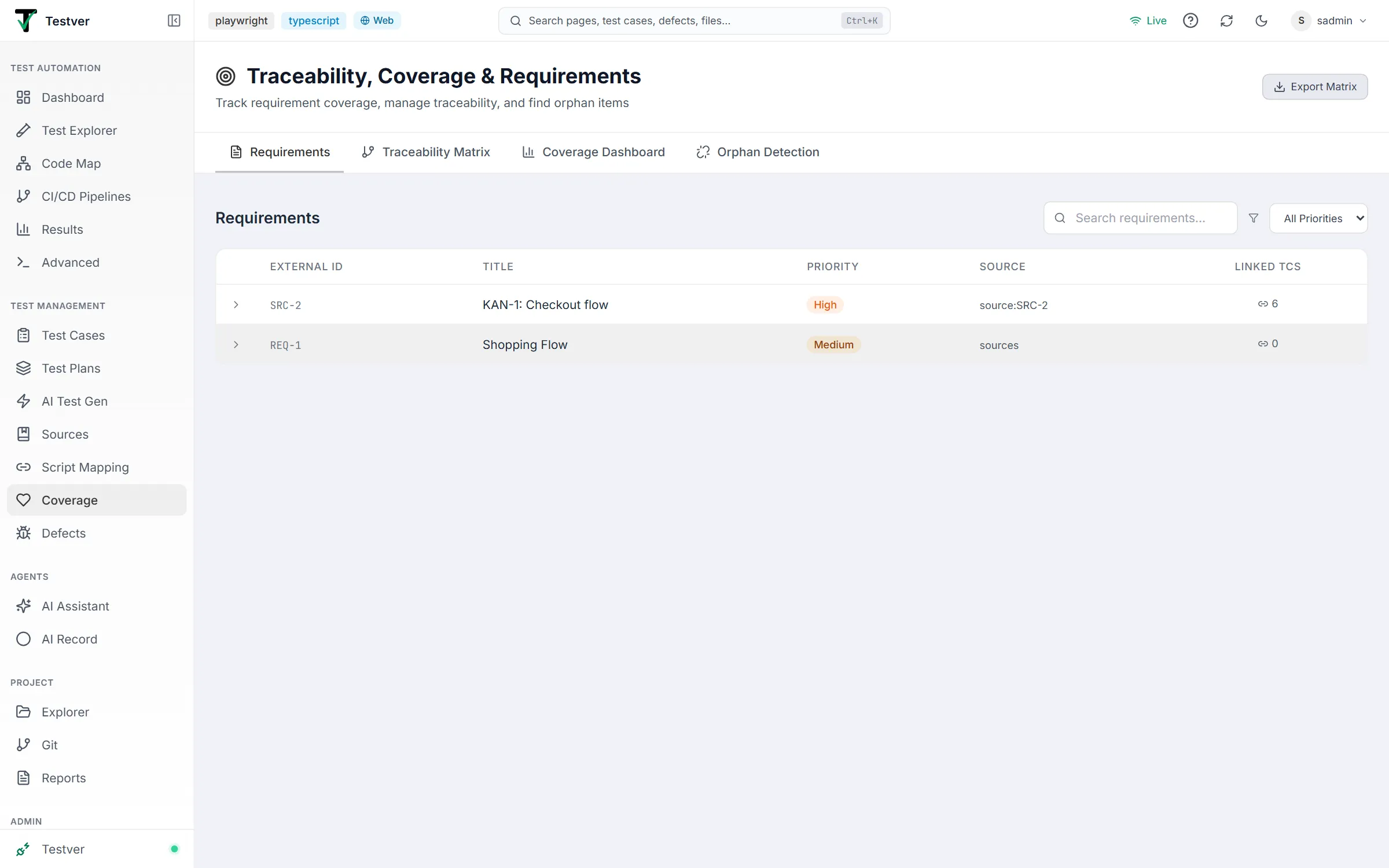
Controls. A Search requirements… box and an All Priorities dropdown (Critical / High / Medium / Low) filter the list. There is deliberately no create button and no status filter — requirements arrive from Sources as active, so those affordances were removed.

| Column | Meaning |
|---|---|
| (chevron) | Click any row to expand it and reveal its linked test cases. |
| External ID | The requirement’s source identifier (e.g. REQ-001); falls back to the internal id. |
| Title | The requirement statement. |
| Priority | Color-coded badge: Critical red, High orange, Medium amber, Low emerald. |
| Source | Where the requirement came from (Jira, Confluence, PRD, etc.), or -. |
| Linked TCs | Count of test cases attached to this requirement. |
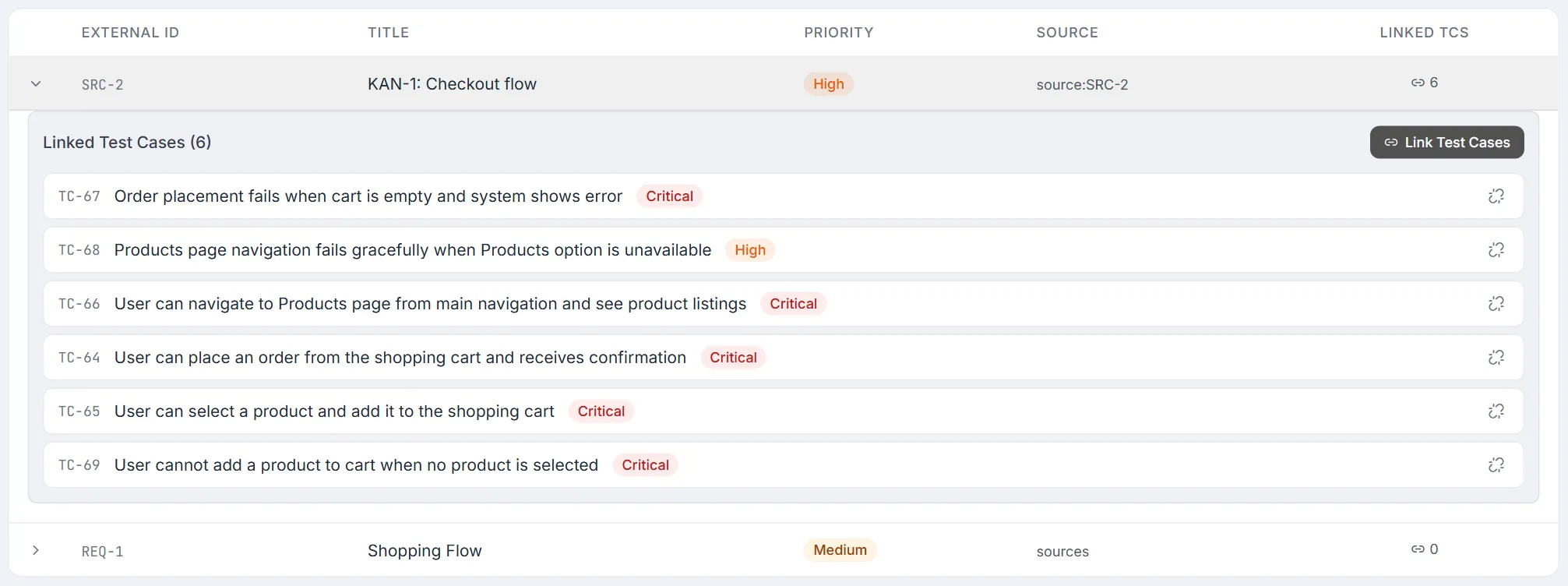
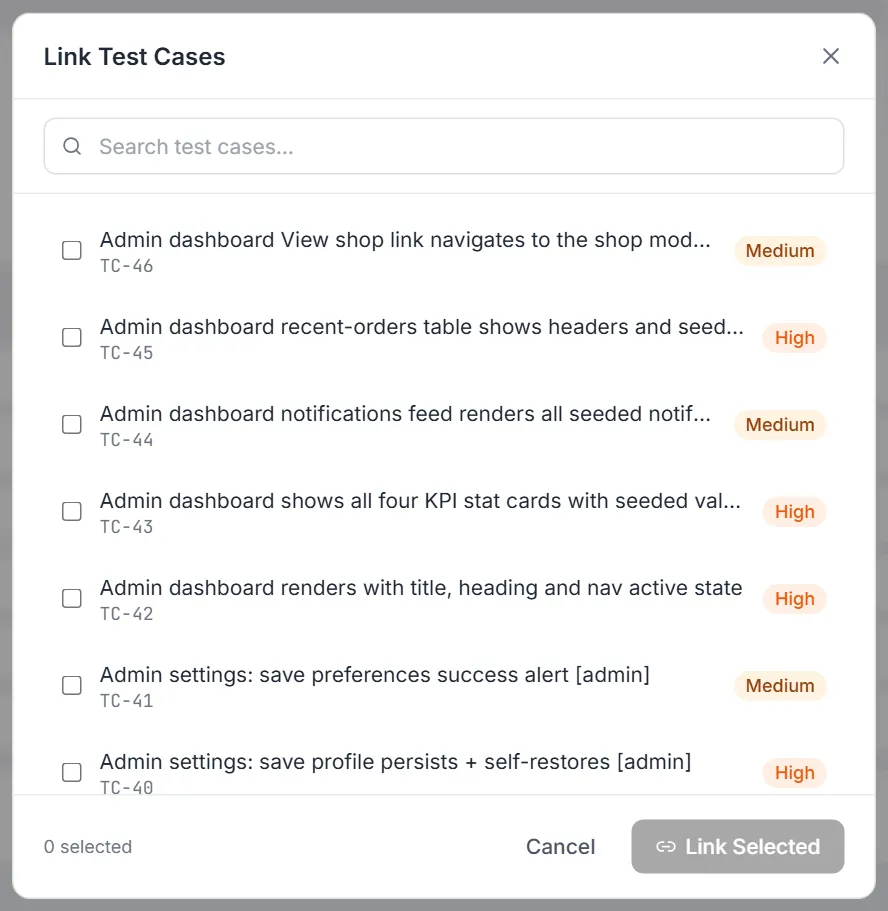
Expanding a row shows the Linked Test Cases (N) panel: each linked test case with its id, title, and priority, plus an unlink (broken-chain) icon that detaches it straight away (there is no confirmation). With nothing linked it reads “No test cases linked yet.” A Link Test Cases button opens a dialog with a Search test cases… box (matches title or ID) and a checkbox list of the test cases not yet linked to this requirement. A counter shows how many you have ticked; Link Selected attaches them all at once and Cancel (or the ×) closes the dialog without changes.
Related
Section titled “Related”- Coverage overview — the screen and its tabs.