
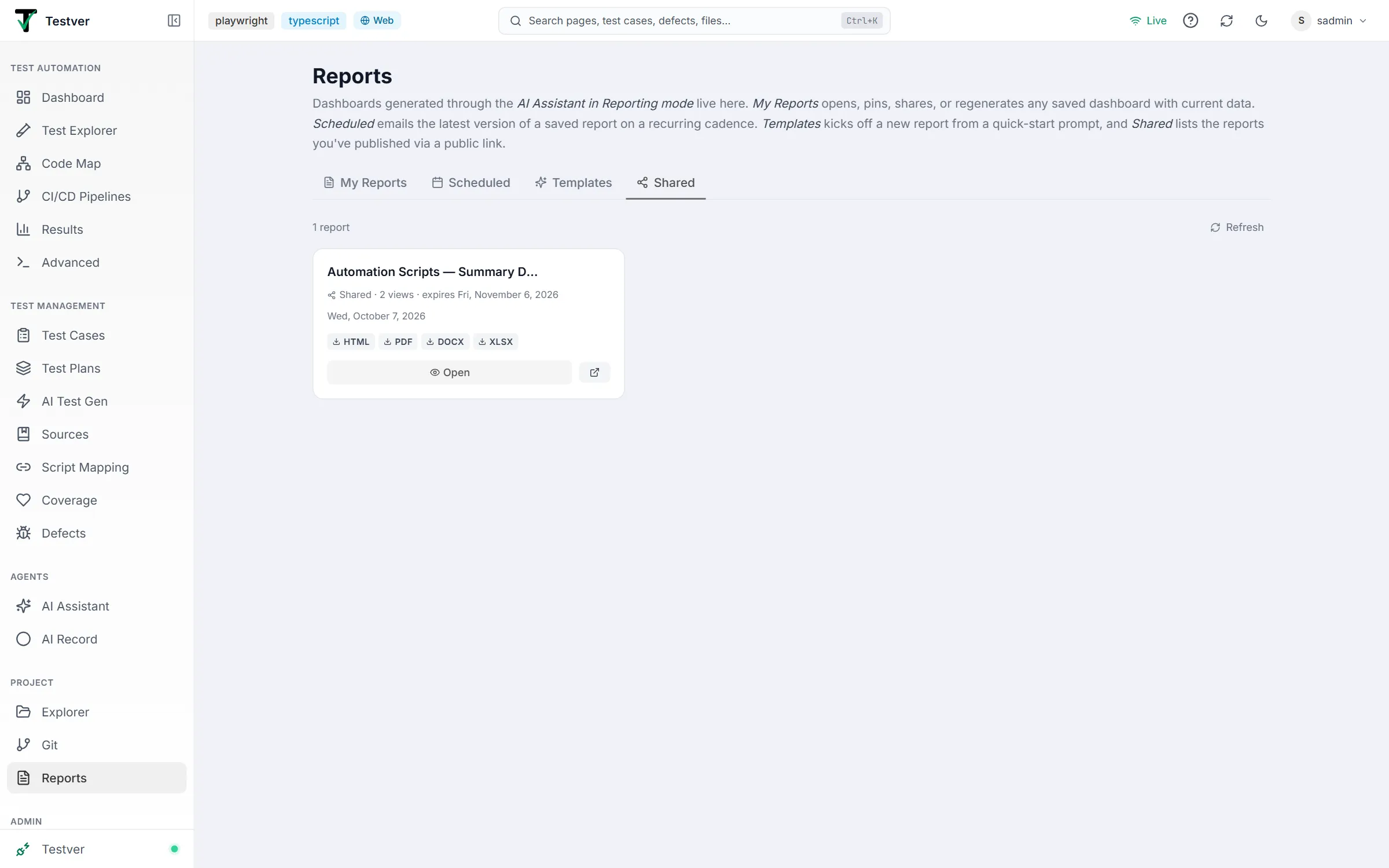
ProjectReportsShared tab
Shared tab
The Shared tab of the Reports screen shows only the reports that currently have an active public share link.
There is no free-text search box on this screen. Filtering is done by tab: the Shared tab is the same card view as My Reports but shows only reports that have an active share token. Everything else (pinning, downloading, opening, deleting) works identically on both tabs.
When the Shared tab is empty it tells you how to populate it: open a saved report from My Reports and click the Share icon to create a public link.
Sharing a report
Section titled “Sharing a report”Creating a share link
Section titled “Creating a share link”In the full view, the Share icon opens the create panel:
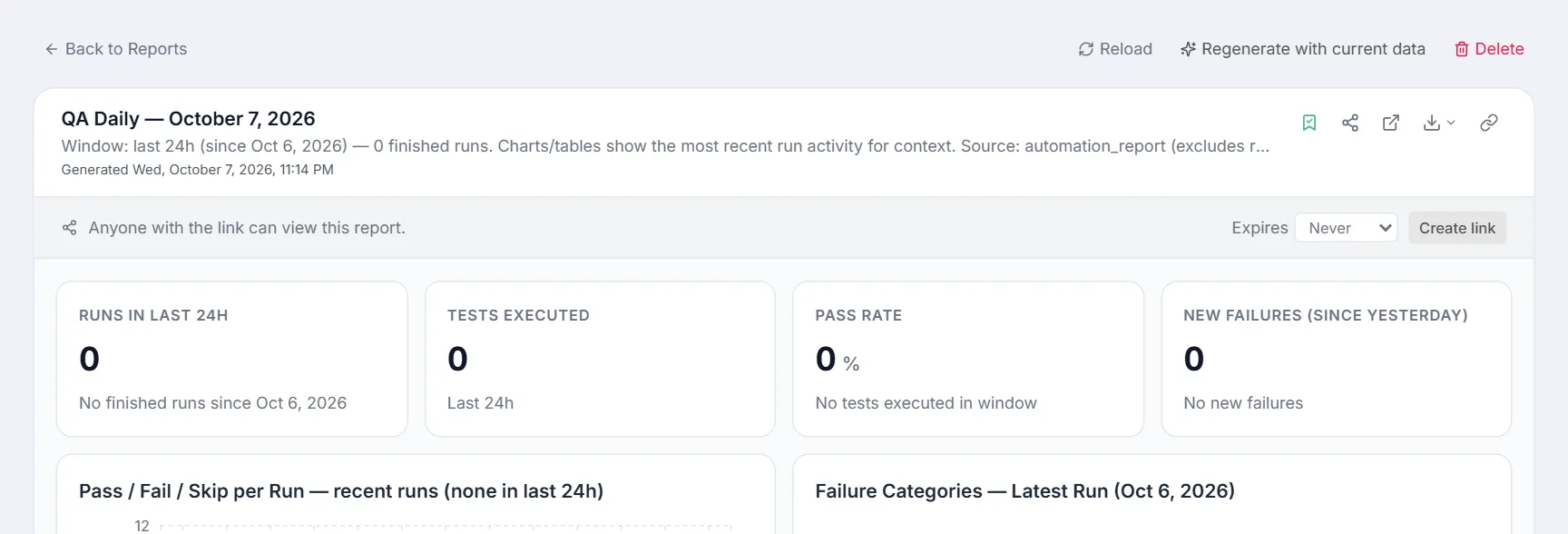
- On a report card, click the Share icon — or, in the full view (or on a dashboard in chat), click Share, choose when the link expires (Never, 7, 30 or 90 days) and click Create link.
- A share token is minted and a public URL of the form
<your-site>/reports/share/<token>is generated. - From a card the absolute URL is copied to your clipboard automatically, and a toast confirms “Share link copied: …”; in the full view the link is shown with a Copy button and its expiry.
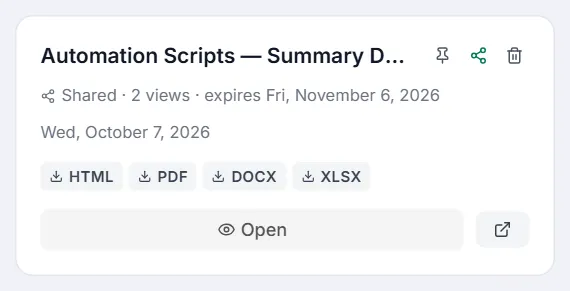
- On the card, the Share icon turns green and a Shared · N views badge (with its expiry date, if it has one) and an external-link button that opens the public page appear. In the full view the Share icon turns brand-coloured.
- Move to the Shared tab to see all reports that currently have an active link.
A shared report’s card — green Share icon, view count and expiry, and the button that opens the public page:
The public share page
Section titled “The public share page”The public page at /reports/share/<token> is a read-only render of the dashboard:
- A small header strip reads Testver → Shared Report with a “Read-only view · <date>” label — and “link expires <date>” when it does.
- The dashboard renders through the same ReportCard, but in readonly mode: the Save, Share, and Revoke actions are all hidden.
- The viewer can still Open full view, Download (HTML, PDF, Word or Excel), and Copy link — downloads go through the public link, so they work without an account.
- The page shows the dashboard only: never who owns it, nor links to files on the server.
- A footer reads “Generated by Testver”.
- If the token is invalid, expired or revoked, the page shows Share link unavailable with the message: “This share link is no longer valid — it expired or was revoked. Ask the report owner for a fresh link.”
Access and revocation
Section titled “Access and revocation”On a shared report the same icon shows the active link (hidden here), its expiry, Copy and Revoke:
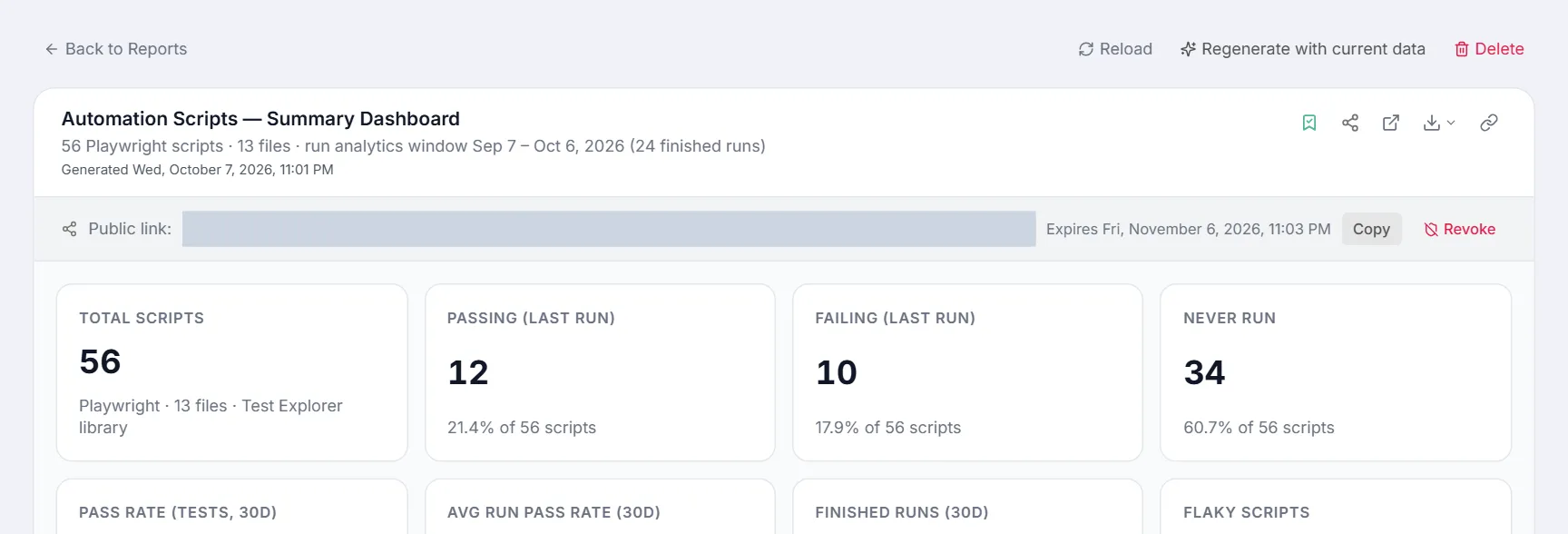
- Access is governed solely by possession of the token — there is no per-person access list and no password. A link lives until it is revoked, or until the expiry you chose when creating it.
- Each open of the public page is counted: the card’s Shared · N views badge shows how often, and hovering it shows when it was last opened. Creating, revoking and re-creating links are recorded in the Audit Log.
- To revoke: click the Share icon on a shared card again (it toggles the link off), or in the full view open the share panel and click Revoke (shield-off icon). “Share link revoked” confirms it — as a toast on the card, as a status line in the full view.
- Once revoked (or expired), the old URL stops working immediately and shows the “no longer valid” page. Re-sharing mints a brand-new token (and resets the view count); the old URL never comes back.
- A scheduled report refreshes its saved values on every run, so its public link always shows the latest dispatch.
- Deleting a report also invalidates its share link — the confirm dialog warns “Any active share link will stop working.”
Related
Section titled “Related”- Reports overview — the screen and its four tabs.
- My Reports tab — all your saved reports.